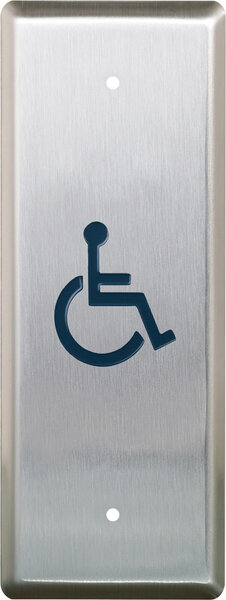

Camden CM-8536 – 36″ x 6″ Column™ aluminum side load push plate switch, anodized clear finish

$50.00

36\” x 6\” Column™ aluminum side load push plate switch, anodized clear finish

SKU: CM-8536
Category:
Brands:

Description

Series: CM-74/75 & CM-84/85 Series

Type: Column™ Push Plate Switches

Configuration: 6" Wide

36" x 6" Column™ aluminum side load push plate switch, anodized clear finish

Brand: Camden

Manufacturer Part Number: CM-8536

Source: Camden Controls product page
Additional information

graphic

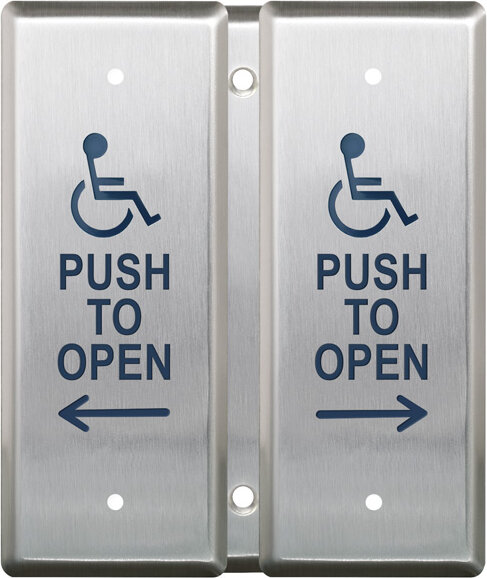
/1 no graphic, /2 wheelchair, /20 wheelchair+foot icon, /2AL wheelchair+arrow left, /2AR wheelchair+arrow right, /3 push to open, /4 wheelchair+push to open, /40 wheelchair+push to open, /4AL wheelchair+push to open, /4AR wheelchair+push to open, /80 lock (red)+foot icon, /8B lock+push to lock, /8C lock symbol, /A2 active wheelchair, /A20 active wheelchair+foot i, /A4 active wheelchair+push t, /A40 active wheelchair+push t

Reviews

There are no reviews yet.

Be the first to review “Camden CM-8536 – 36″ x 6″ Column™ aluminum side load push plate switch, anodized clear finish”

Your email address will not be published. Required fields are marked *

Camden's CM-74 and CM-75 Series top-activation Column push plate switches are surface mounted and designed for installations with no obstruction above the unit, offering a discreet appearance. The CM-84 and CM-85 Series side-activation Column switches are two-piece units with a surface-mounted back box, designed for use when an overhead obstruction prevents a top-activation model, when mounting on a narrow curtain wall, or when the unit must pass through a glass panel.

Product specifications
Contact rating standard models 15 A @ 30VDC
Contact rating vr models 1 A @ 30VDC
Voltage vr models 12 to 24 VDC +/- 10%
Contact type standard momentary contact switch, single pole double throw, Form C
Contact type vr common/normally open/normally closed
Depth (CM-84/85) 2-1/4" (32mm)
Width (CM-74) 4-1/2"
Width (CM-75) 6"
Width (CM-84) 4-1/2"
Width (CM-85) 6"
Low-voltage wiring Connection count needs review
PreparationSurface mount using the integral back box. Detach and secure the back box to the wall or frame with fixings appropriate to the substrate. If hardwiring, provide the cable pass-through: the manual recommends a 3/4-inch hole, 8-12 inches from the top, aligned with existing in-wall wiring. The stated overall unit depth is 2-3/8 inches.
ElectricalIf hardwiring, connect the two activating wires from the wall or frame to the column switch lead wires using the supplied wire nuts. Kinetic and Lazerpoint wireless options are separate configurations. The TX-9 lead connection inside the end cap is internal accessory wiring, not field cable. The two activating conductors apply to the hardwired configuration; cable run count is not specified.
Preparation requiredYes
Conditional connectionsHard-wired activation connection from wall/frame wires to switch lead wires: cable runs quantity unspecified; 2 conductor(s); wire type not documented; size unspecified; shielding unspecified; rating unspecified; endpoints wall/frame activating wires to Column Switch lead wires; when Installation configuration is Base product, hard-wired configuration: two activating wires are spliced to the switch lead wires with the supplied wire nuts. The cable run count is not documented.; Internal accessory connection: Optional Lazerpoint TX-9 transmitter connection to switch lead wires: cable runs quantity unspecified; conductor count unspecified; wire type not documented; size unspecified; shielding unspecified; rating unspecified; endpoints TX-9 transmitter activating wires to Column Switch lead wires; when Installation configuration is Internal leads only; not a field cable requirement. Optional accessory selected: IF the Lazerpoint wireless option is selected: the TX-9 transmitter is installed in the top end cap and its two activating wires are connected to the switch lead wires. This is an internal connection, and the receiver wiring is not covered.

Official manufacturer documents